

Temperature uniformity is one of the most important performance aspects of operating a vacuum furnace. It ensures that all parts in the work zone reach the temperature set point within acceptable limits.
DigiTrim is a software tool used in Ipsen furnaces to help ensure each heating zone stays within a defined temperature range throughout the chamber. For certain certifications, these limits can be as strict as plus or minus five or ten degrees Fahrenheit, depending on the furnace’s class rating.
To achieve this level of uniformity, DigiTrim allows operators to adjust the power delivered to the heating elements by zone and within a designated temperature range. If one heating zone runs hotter than another, its power can be reduced slightly until the temperature aligns with the other zones.
How Often Should I use DigiTrim to tune my furnace?
DigiTrim should be used to calibrate heating-zone power before running production for the first time and whenever heating elements are replaced. When a new control and overtemperature thermocouple are installed, a temperature uniformity survey (TUS) should be performed using the DigiTrim tool.
Changes made in DigiTrim should only be made in conjunction with a temperature uniformity survey, and only by personnel trained to tune the furnace.
Where do I find DigiTrim on my Ipsen furnace software?
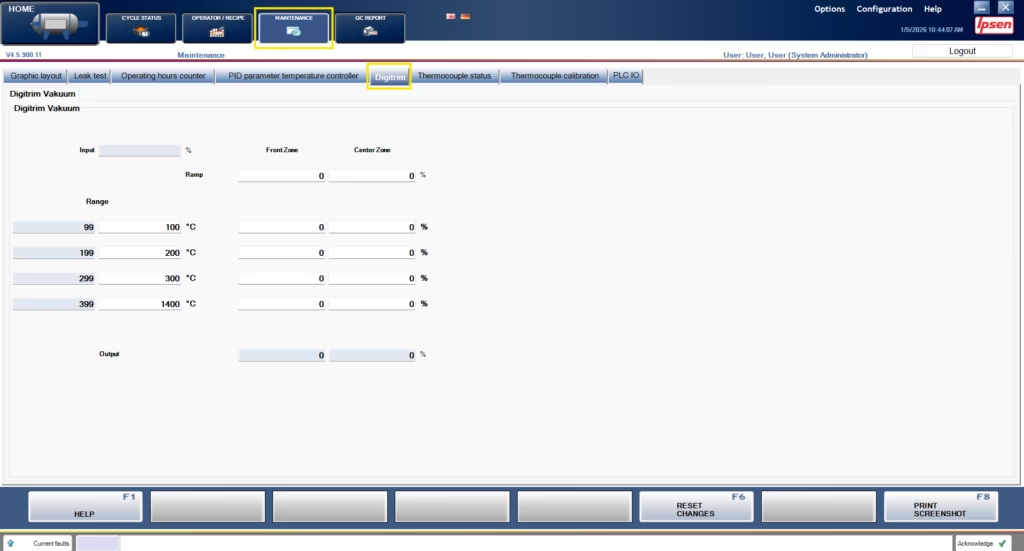
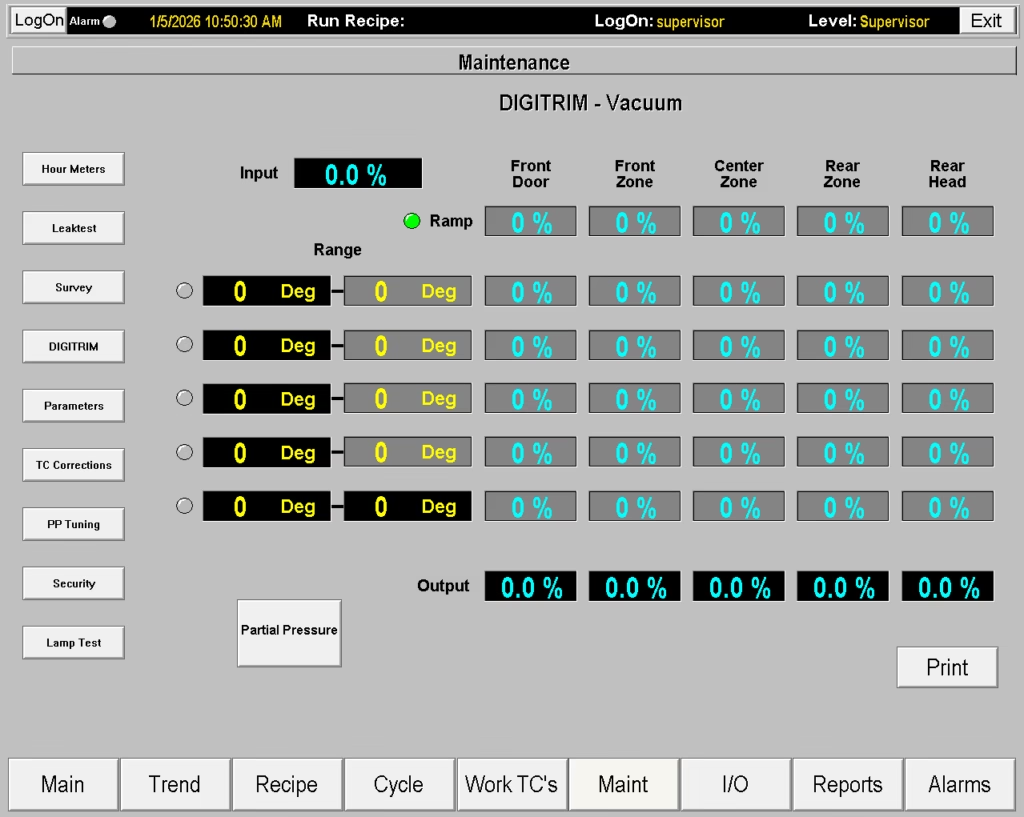
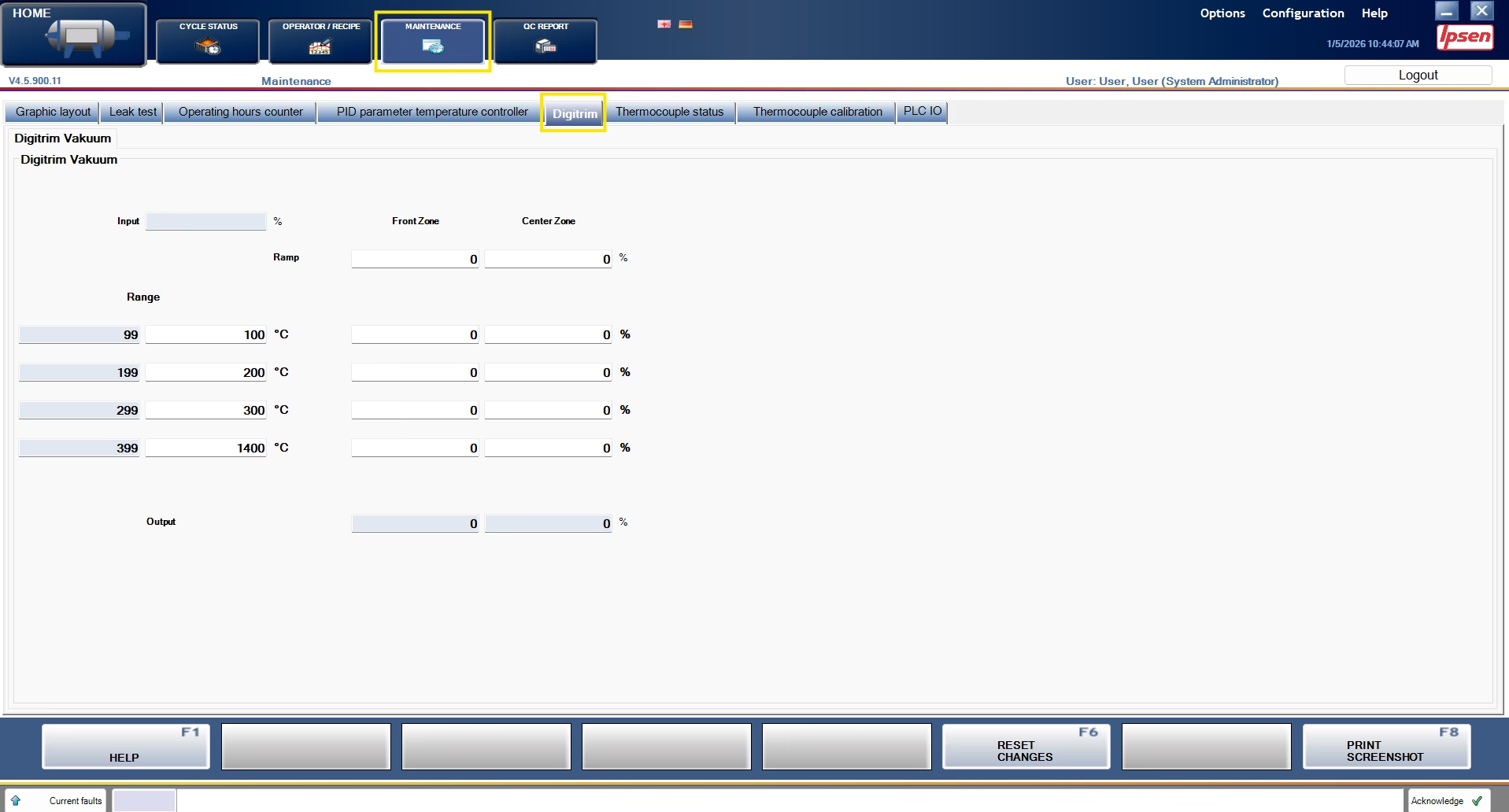
DigiTrim can be found in the Maintenance section of your CompuVac or VacuProf software. This is a password-protected portion of the software, so users need the appropriate credentials to access DigiTrim and make changes.

How do I use DigiTrim to calibrate my Ipsen furnace?
Calibrating your furnace with DigiTrim is a part of a TUS. Service techs use DigiTrim, adjusting the amount of energy delivered to each zone, to achieve uniform temperature targets throughout the furnace. These targets are chosen to align with frequently used recipes or industry requirements.
Once the temperature targets are selected and the furnace has achieved and held that temperature, TUS thermocouples will inform you what zones within your furnace may be running higher or lower temperatures than expected. Technicians use these findings to reduce a percentage of the energy going to the hottest parts of the chamber.
Keeping the coldest zone running at 100 percent, service technicians adjust the other zones reporting higher temperatures down until each zone in the furnace meets uniformity standards.
Once all of the zones align with the uniformity standards at that target temperature, instruct the furnace to adjust to the next target temperature. Ipsen recommends that technicians progress in order — either from lowest target temperature to the highest target, or from high to low, to ensure each temperature zone is tested.
One important thing to note when calibrating temperatures in a furnace: at least one zone should be kept at 100%. It should always be the coolest area of the work zone.
Lowering all heating zones below 100 percent effectively limits the overall power available to the furnace. Keeping at least one zone at 100 percent provides a stable reference point that the other zones can be balanced against.
Allow plenty of time to calibrate DigiTrim. Each individual adjustment can take 30 minutes or more for the furnace temperature to respond and reach a steady state.
For more helpful tips, visit our Ask the Expert Page.
 English
  German
  Chinese
  Japanese
  Italian
  French
  Spanish